


Sending E-Mail Blasts
An e-mail blast library is available and ready to send through our easy-to-use portal.
Step 1 of 6
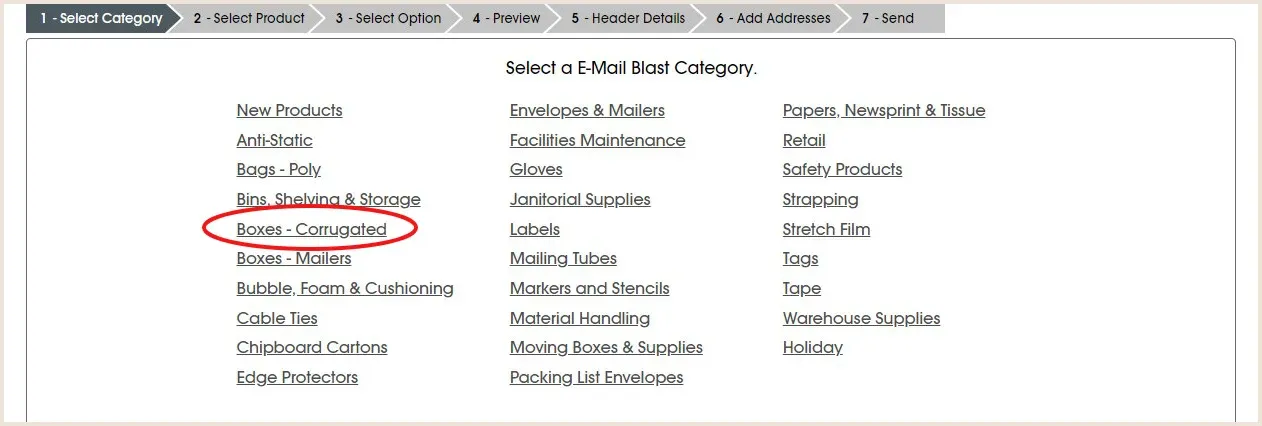
Select a category.
Step 2 of 6
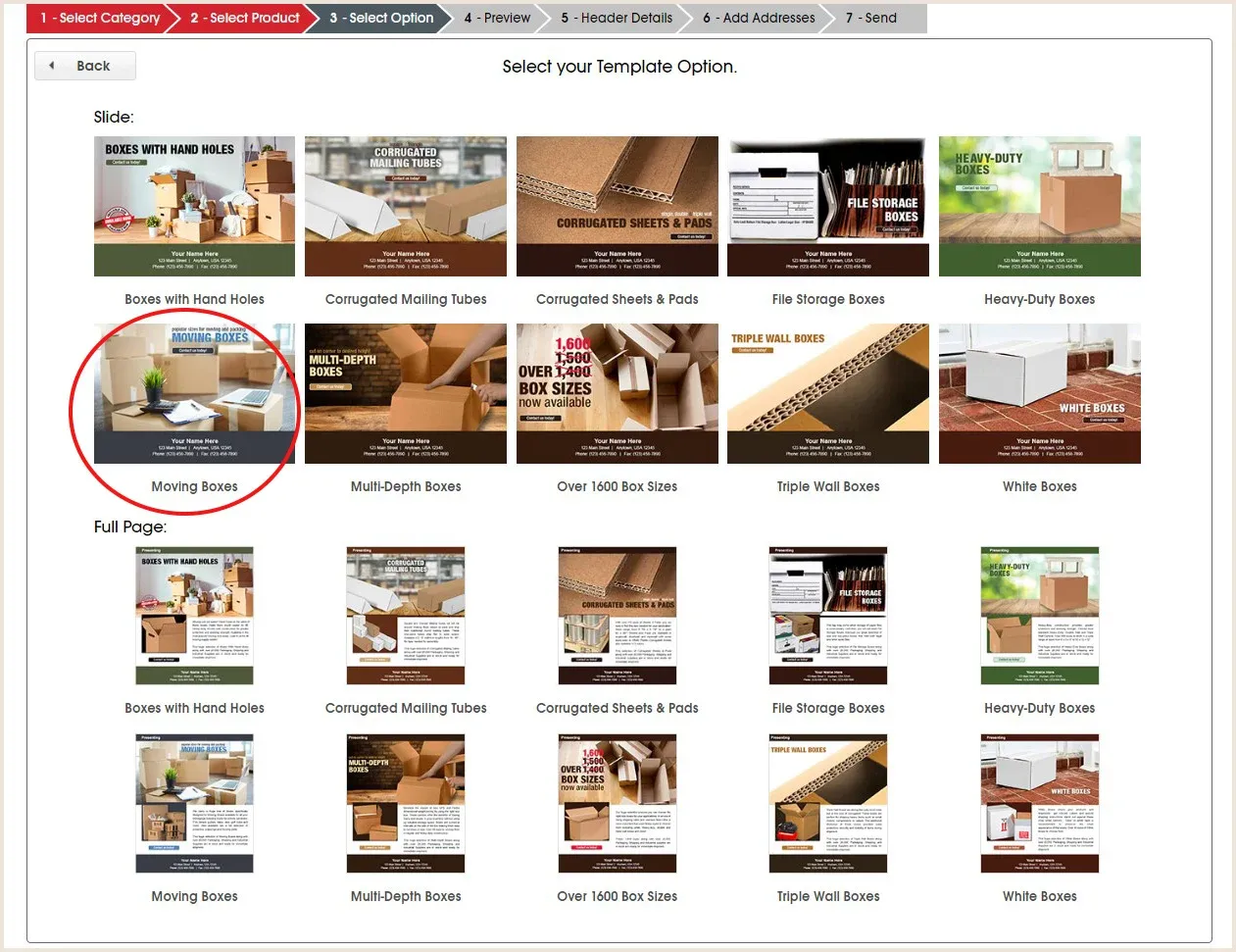
Select the product e-mail template.
Step 3 of 6
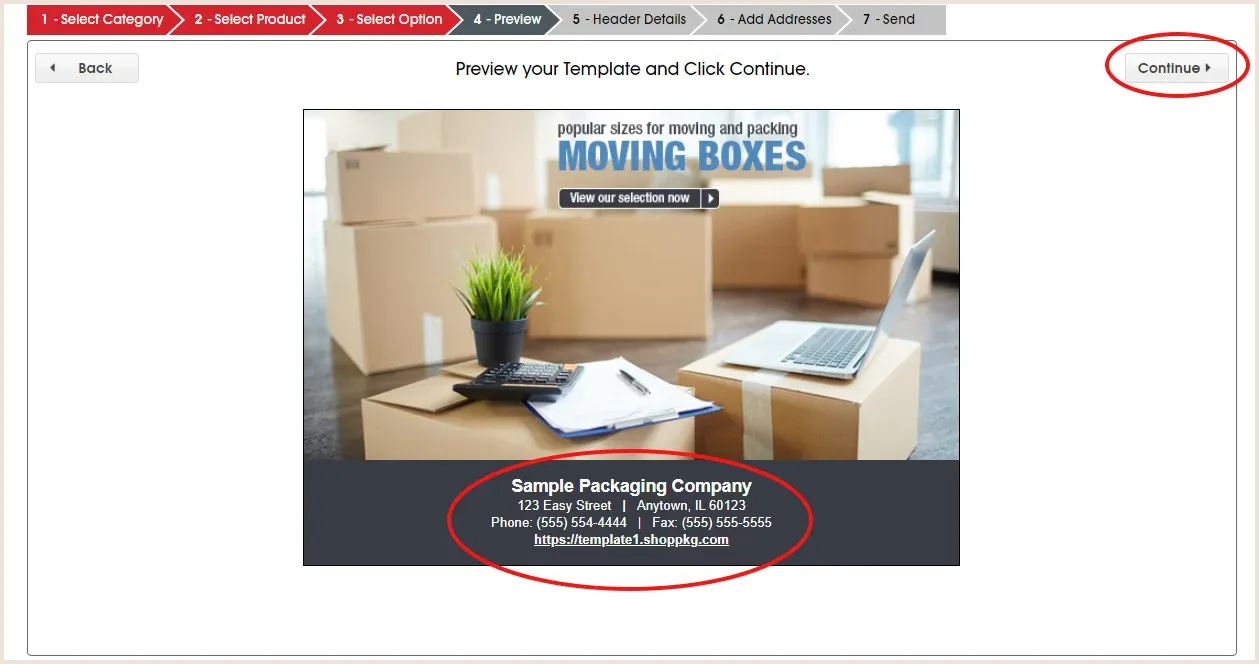
A preview will appear displaying your company information. Click continue.
Step 4 of 6
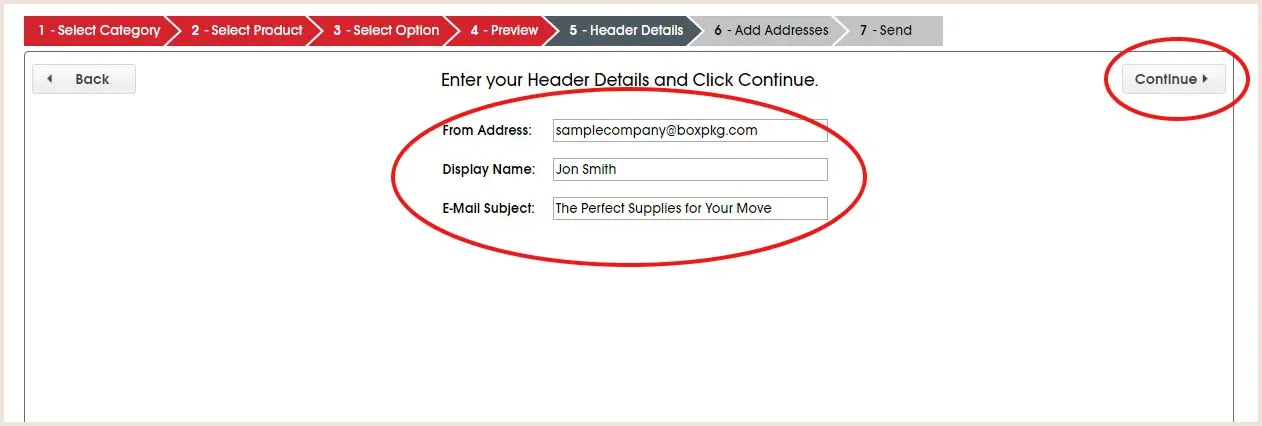
Fill out the header details; from e-mail address, display name, and e-mail subject. Click continue.
Step 5 of 6
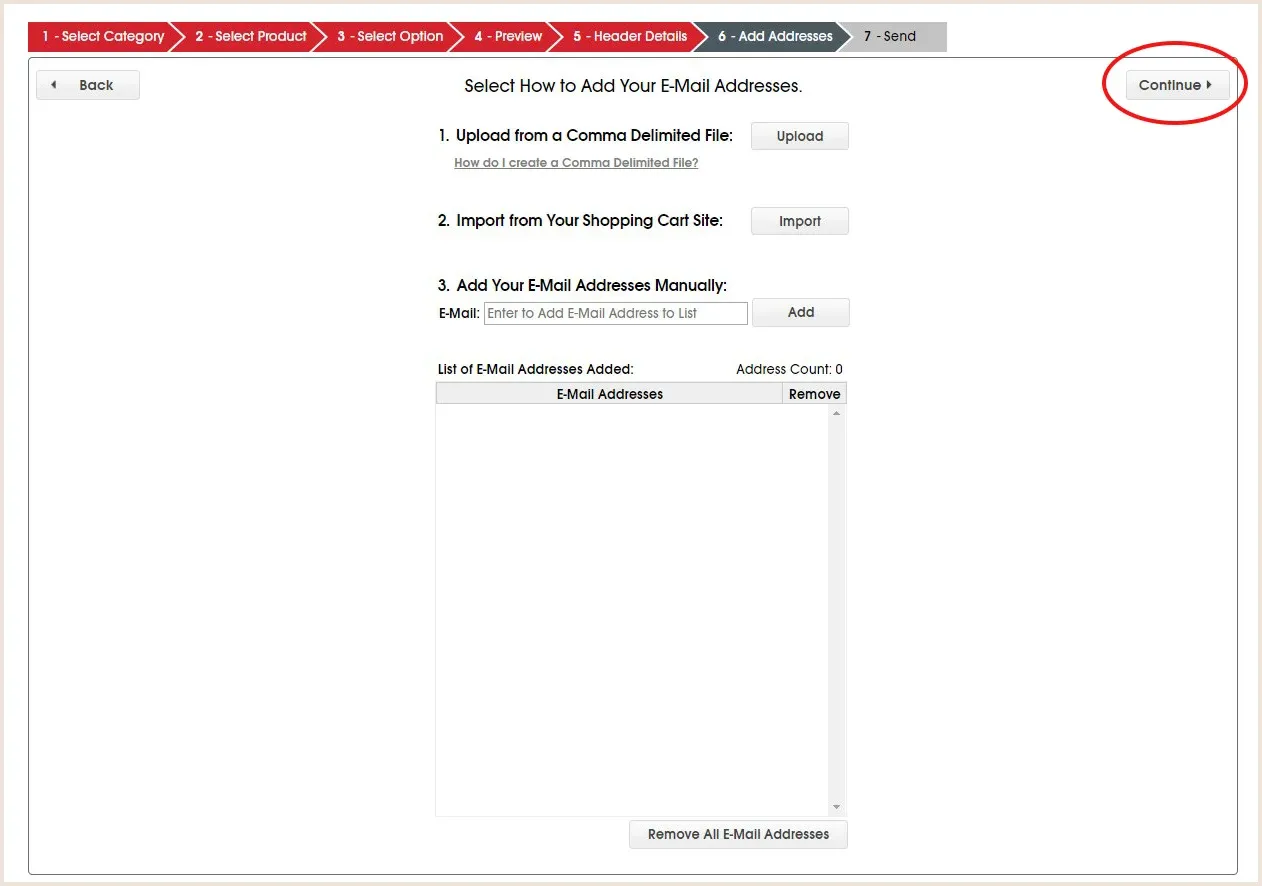
Add your send to e-mail addresses.
Once e-mail addresses are loaded, they will display in a list. Click Continue.
Step 6 of 6
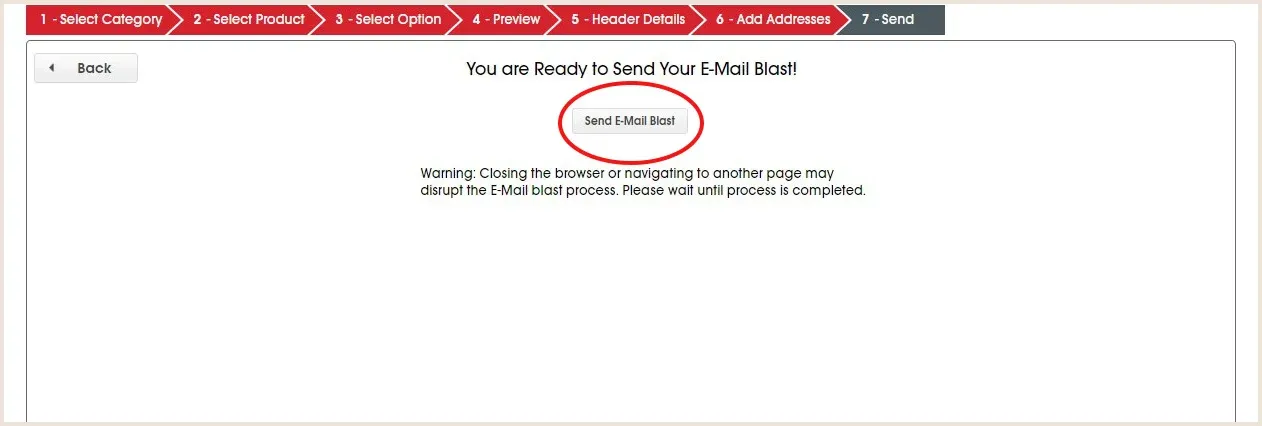
Click Send E-Mail Blast.