



Logging in to boxpartners.com
The BOX Partners website has moved to a simpler, more secure login. There are no more usernames or passwords to remember — you sign in with your business email address and a one-time code we send you.
Step 1
Enter Your Email Address
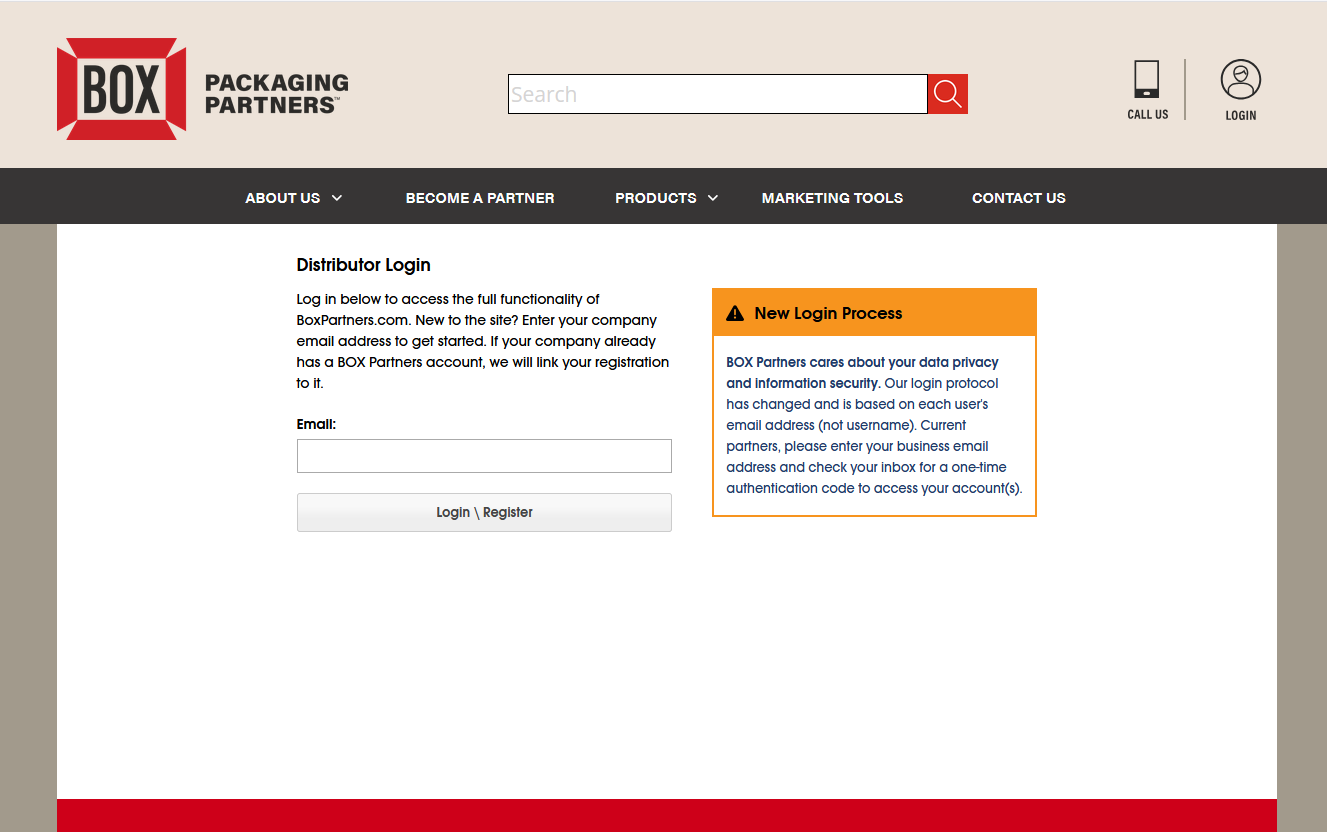
Go to www.boxpartners.com and click LOGIN. Enter your business email address and click Login\Register.
Step 2
Tell Us Your Name (First Time Only)
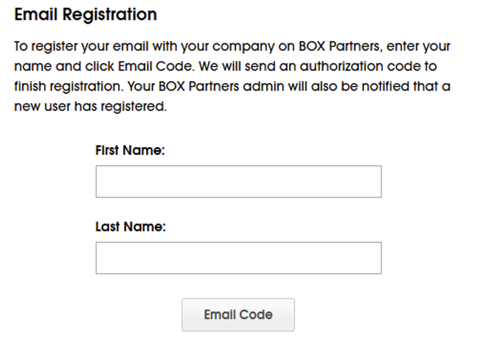
If this is your first login under the new system, we will ask for your first and last name so your company's account administrator can recognize you. You will only see this screen once.
Step 3
Check Your Email for the Code
We will send a 6-digit code to your email address. It expires in 10 minutes and can only be used once. If you don't see it, check your spam or junk folder.
Step 4
Enter the Code
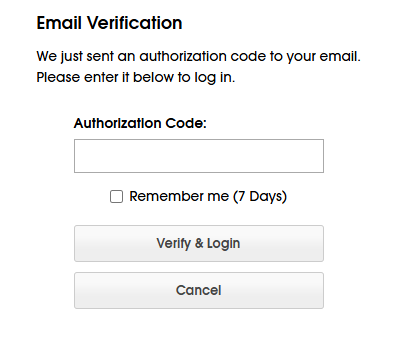
Type the code on the verification screen and click Verify & Login.
Note: Check "Remember me (7 Days)" to stay signed in on this computer for a week — otherwise you'll be asked for a new code on your next visit.
Tips
If Your Email is Linked to Multiple Accounts
Some logins are connected to multiple company accounts. After you log in, you'll see the account selection screen: click Select next to the account you want to work in, and tick Default to make it your automatic choice next time. You can switch accounts at any time under My Account.
For Account Administrators Managing Your Users
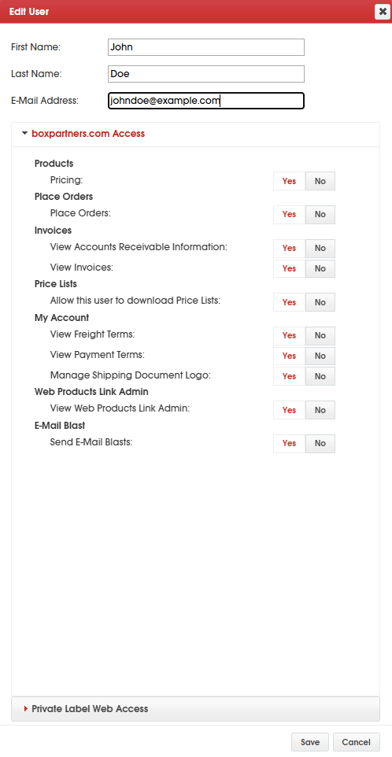
Administrators can control what each user sees and does on the site. Go to My Account > Manage Users, click a user, fill in their first and last name if it's blank (now required), and set their permissions - pricing, placing orders, invoices, and more.
Frequently Asked Questions
What if I didn't get a code?
Check spam/junk first. Codes come from donotreply@boxpartners.com. Still nothing? Contact your IT administrator to check for blocking boxpartners.com domain.
Why did I get the error "Too many codes requested"?
To protect your account, we limit how often codes can be sent. Wait about 15 minutes and try again. Tip: each person should log in with their own email address rather than a shared inbox.
Why does it say to contact my administrator after registering?
Your registration was received and your company admin has been notified; they need to grant your access before you can use the full site.
How do I stay logged in?
Make sure you tick "Remember me (7 Days)" before clicking Verify & Login. To help keep your account secure, this is the maximum amount of time you can remain signed in.
