

Below are the reasons the order was marked as Suspicious:

If this is a valid customer you can set them as Verified in customer maintenance and the next time they order they will be excluded from the suspicious order checks. Credit Card transactions will always be checked by Authorize.net
Laptop displaying the BOX Partners website with text “Your guide to boxpartners.com – Packaging made easy, every step of the way.”
 

Editing Orders on Process Hold

To view orders on your account, log in and select Open Orders under My Account.

You can search for orders by:

  • Order Number
  • PO Number
  • Ship To

Selecting Ship To opens a search window where you can search by company name. Each column header also includes sorting options to help you locate orders quickly.
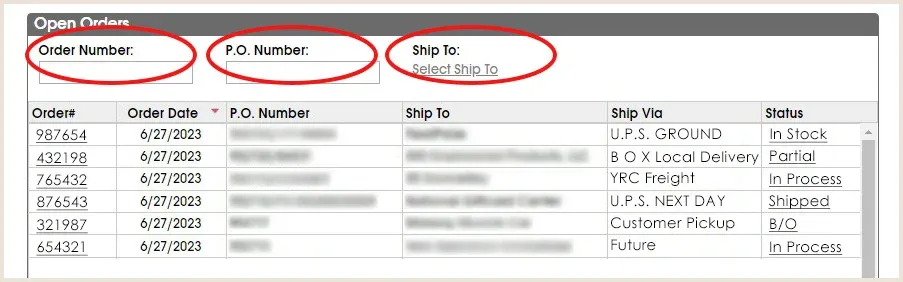
Open Orders screen with detail


Why is my order on Process Hold?

If an order contains information that requires review after submission, your company will receive an email notification requesting that the order be updated or validated on boxpartners.com. Common reasons an order may be placed on Process Hold include:

  • Pricing discrepancies
  • Ship via validation issues
  • Invalid ship-to addresses

Orders on Process Hold will appear in red text on the Open Orders page.
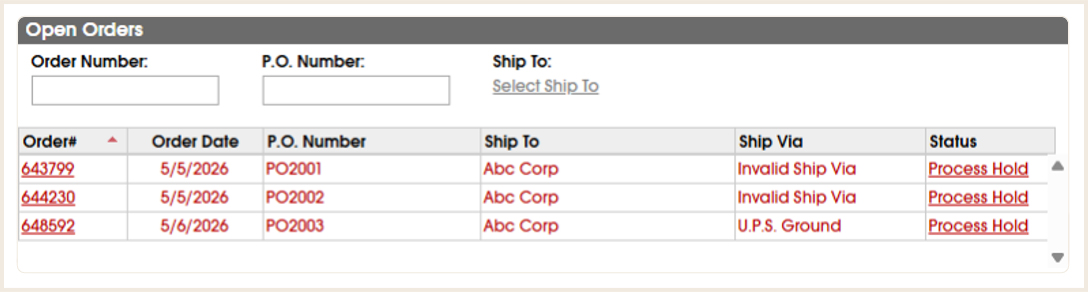
Orders On ProcessHold


How do I release an order on Process Hold?
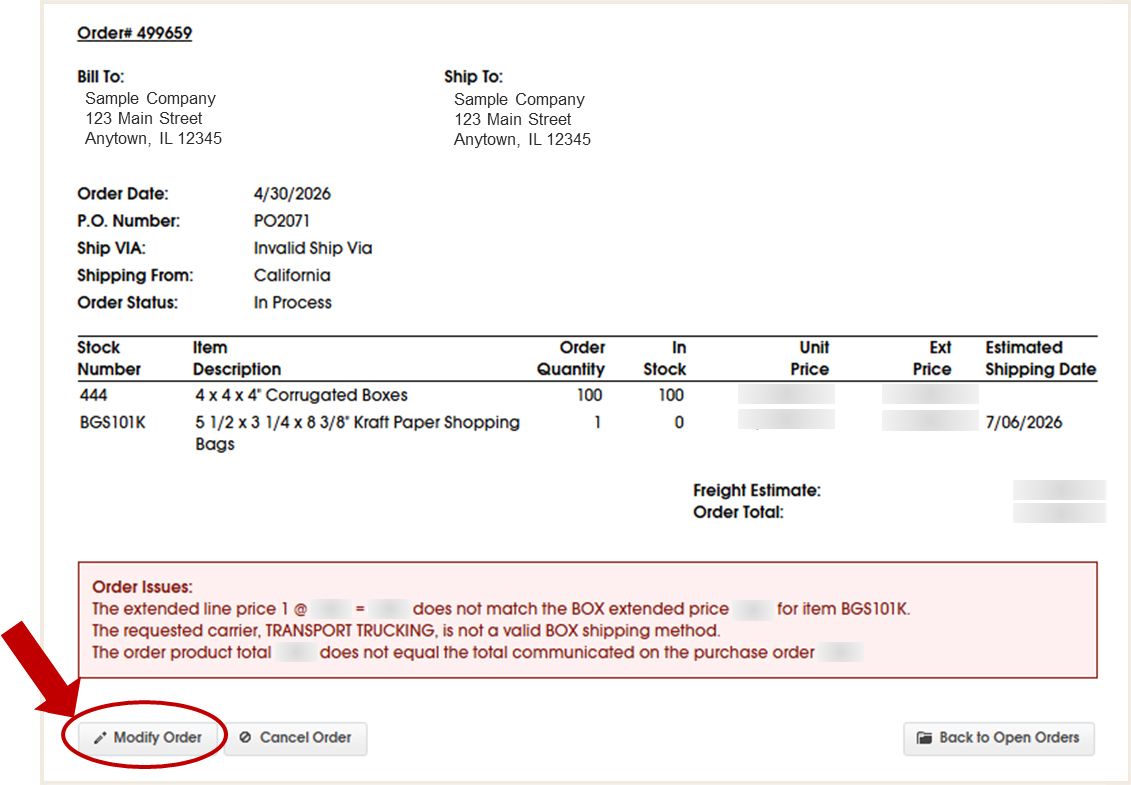
  • Select the order you wish to edit
  • Click Modify Order
BOX_WebGuide_ModifyOrdersOnProcessHold.jpg
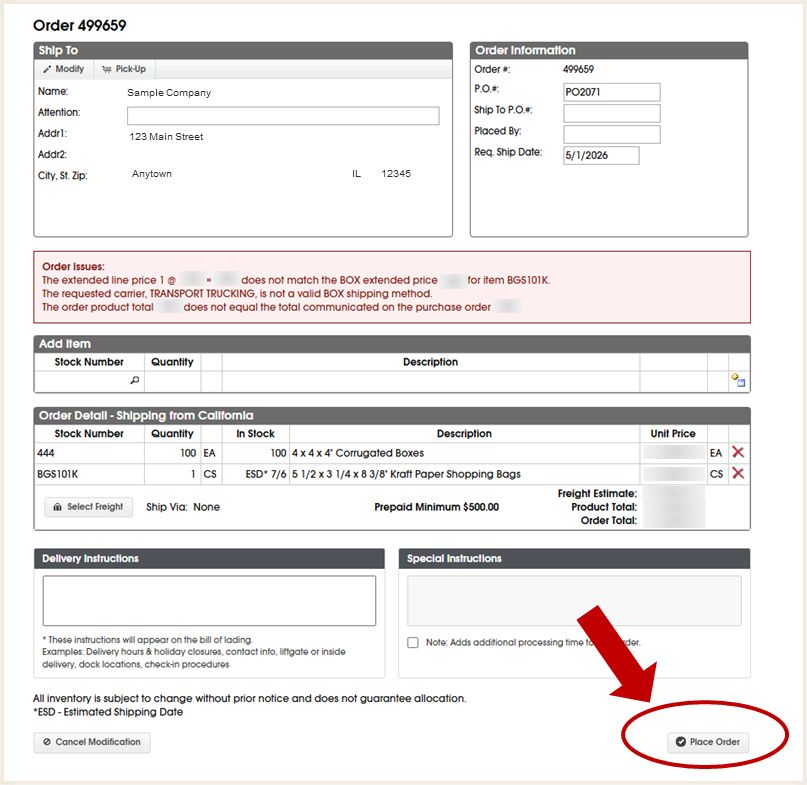
  • Make the necessary updates to your order
  • Review all order information
  • Click Place Order to save your changes
BOX_WebGuide_OrdersOnProcessHoldClickPlaceOrder.jpg


After clicking Place Order, the order will be resubmitted for processing. If all issues have been resolved, the order will no longer appear on Process Hold.